
If you already take photos every day, you can sell photos online and turn some of those shots into a small, growing income. The honest truth first: stock photography is slow money. Most downloads pay anywhere from a few cents to a few dollars, and sales usually build over months as your portfolio grows.
That does not make it a bad idea. It makes it a patience game. A photo you upload once can be licensed again and again, and a large library of useful, well-tagged images can keep earning while you sleep. This guide shows you the legitimate platforms, what each one pays, which photos actually sell, and the traps to avoid. Keep that focus in mind as you sell photos online.
How to Sell Photos Online: The Basic Model
Every platform in this guide works on the same simple idea. Businesses, bloggers, designers and advertisers need photos every day, and they pay to license them instead of hiring a photographer. That is the basic model behind how to sell photos online.

You upload your photos to a stock agency. The agency reviews them for quality and legal safety. When a customer licenses one of your images, the agency keeps part of the fee and pays you a royalty. That review step protects buyers when you sell photos online.
You keep your copyright. You are not selling the photo itself; you are selling permission to use it. The same image can be licensed hundreds of times, which is why contributors focus on building a big, useful portfolio rather than hunting for one perfect shot when you sell photos online.
Most agencies pay once your balance reaches a set threshold, usually by PayPal, Payoneer or Skrill. Expect your first payout to take a while. Small, steady streams are normal in this business, in the same way that the best cashback apps pay small amounts that only become meaningful over time.
Best Apps and Sites to Sell Photos Online
The six options below are established, currently operating contributor programmes. Each one has a different strength, and many photographers upload to two or three of them with the same photos, as long as the images are not marked exclusive anywhere when you sell photos online.
Shutterstock Contributor
Shutterstock is one of the largest stock marketplaces in the world, and it is usually the first place beginners try when they decide to sell photos online. You sign up free on the Shutterstock contributor page, upload photos, add titles and keywords, and wait for review.
How it works: Every approved photo goes into the library buyers search. Each download earns you a royalty based on your earnings level.
Royalties: Shutterstock uses six earnings levels for images, starting at 15% and rising to 40% as your yearly licensed downloads grow. The levels reset each January. In practice, a standard subscription download at the starter level often works out to well under a dollar, so volume matters more than any single sale.
What sells: Business and office scenes, technology, food, travel, health and diverse, natural-looking lifestyle photos.
Good to know: The payout threshold is $25. You must be 18 or older, and you must own full rights to everything you upload.
Adobe Stock Contributor
Adobe Stock is built into the tools designers already use, such as Photoshop and Illustrator, which puts your photos in front of a huge professional audience. That built-in audience makes it one of the strongest places to sell photos online. Sign-up is free through the Adobe contributor portal, and Adobe publishes its current rates openly on the Adobe Stock contributor royalties page.
How it works: Upload photos, let Adobe’s tools suggest keywords, order the most important keywords first, and submit for review.
Royalties: Adobe pays a flat 33% royalty on photos. What you actually receive per download depends on the buyer’s plan: Adobe’s own examples range from about $0.33 on the largest plans up to $3.30 on small monthly plans, with extended licences paying much more. There is no tier ladder to climb, which many beginners prefer.
What sells: Clean business images, authentic people at work, technology close-ups, backgrounds and seasonal content.
Good to know: The payout threshold is $25 via PayPal, Payoneer or Skrill. Adobe also accepts clearly labelled generative AI content under separate rules, but real camera photos are the safe, simple route for beginners.
iStock by Getty Images
iStock is the contributor-friendly arm of Getty Images, the famous premium photo agency. If you want to sell photos online at the premium end of the market, this is the name to know. Joining is more selective than the other platforms here: you apply through the Getty Images contributor app and submit sample images for review before you can sell.
How it works: Once accepted, you upload photos, and approved work can be distributed through iStock, Getty Images and partner sites, which gives each image a wide reach.
Royalties: Non-exclusive contributors start at 15%. Exclusive contributors, who sell only through Getty, can earn between 25% and 45%. iStock pays monthly once you pass its payout threshold.
What sells: High-quality lifestyle, business, sports, entertainment and editorial-style images with a polished, professional feel.
Good to know: The quality bar is higher and the application can be rejected, so apply with your strongest, sharpest work, not your whole camera roll.
Dreamstime
Dreamstime is one of the oldest microstock agencies where you can sell photos online, and it is known for generous headline royalty rates. Registration is free, uploads are reviewed, and approved photos are listed for sale.
How it works: Upload photos with titles and keywords, pass the review, and earn a royalty each time a buyer licenses your file.
Royalties: Contributors earn between 25% and 60% of the net sale, depending on how popular the image becomes and whether it is exclusive to Dreamstime. Typical per-sale earnings are still small, often in the range of a few cents to a few dollars.
What sells: A very broad mix: nature, business, food, illustrations and everyday scenes all move on Dreamstime.
Good to know: The cash-out threshold is $100, which is higher than most rivals, so payouts take longer to reach. Treat Dreamstime as a second or third income stream, not your only one.
Foap: Sell Photos Online Through Brand Missions
Foap is different from a classic stock agency. It is a phone app where brands post “Missions”: a short brief describing the exact photos or short videos they want, with a prize for the entries they choose. It is a mission-based way to sell photos online.
How it works: You read a mission brief, shoot or select photos that match it, and submit them in the app. If the brand picks your entry, you get the stated reward. The app advertises mission prizes starting at $50, and brands sometimes buy additional entries.
Royalties and pay: Mission rewards are set per brief, so read each one carefully; a prize may be a single award, not a payment to everyone who enters. Foap also runs “Crowds” work directly with brands. Cash-outs are via PayPal.
What sells: Authentic, real-life phone photography: people using everyday products, local food, home life, pets and genuine moments rather than polished studio shots.
Good to know: Foap’s older marketplace model changed in recent years, and the app now focuses on missions and brand work. Earnings are hit-and-miss by nature, so treat Foap as a fun extra, not a dependable salary.
Related Posts


500px Licensing
500px began as a photography community known for very high image quality, and its licensing programme lets accepted photos be sold through major distribution partners, including Getty Images and VCG. It is a high-end way to sell photos online.
How it works: You submit your best photos for licensing, the 500px content team reviews them, and approved images are offered to buyers through 500px and its partners.
Royalties: According to 500px, exclusive photos earn 60% of net sales, while non-exclusive photos earn 30%. You always keep your copyright.
What sells: Striking, high-end photography: dramatic landscapes, strong portraits, fine-art style city scenes and images with real visual impact.
Good to know: The standard is demanding, and casual snapshots rarely pass. If your best work is genuinely strong, 500px’s higher royalty share can be worth the extra effort.
Quick Comparison: Where to Sell Photos Online
| Platform | Royalty | Payout threshold | Best for |
|---|---|---|---|
| Shutterstock | 15%–40% (tiered, resets yearly) | $25 | Beginners who want the biggest buyer pool |
| Adobe Stock | 33% flat | $25 | Simple, predictable rates |
| iStock by Getty | 15% non-exclusive; 25%–45% exclusive | Check current terms | Polished, professional portfolios |
| Dreamstime | 25%–60% | $100 | A broad extra income stream |
| Foap | Prize per mission (from $50 advertised) | PayPal cash-out | Phone photographers who enjoy briefs |
| 500px Licensing | 30% non-exclusive; 60% exclusive | Check current terms | High-end, striking photography |
What Photos Sell Best: A Practical Guide
Learning to sell photos online starts with a mindset shift: buyers do not want your holiday album. They want images that help them sell a product, explain an idea or fill a design. Keep that in mind with every upload as you sell photos online.

Subjects that sell again and again:
- Food: home cooking, coffee, street food, ingredients on a clean table
- Work and business: laptops, remote work, small shops, hands typing, meetings
- Everyday life: family moments, exercise, health habits, studying, commuting
- Travel and places: city streets, markets, transport, famous views at good hours
- Technology: phones in real use, online shopping, paying by card or phone
- Nature and seasons: gardens, weather, festivals and holiday themes, uploaded ahead of the season
Quality basics that get photos accepted:
- Shoot in the best light you can find; early morning and late afternoon beat midday glare
- Keep horizons straight and main subjects sharp; wipe the phone lens first
- Avoid heavy filters and over-editing; buyers want natural colour
- Leave some empty space in some shots, because designers need room for text
- Upload the full-resolution file, not a compressed social media copy
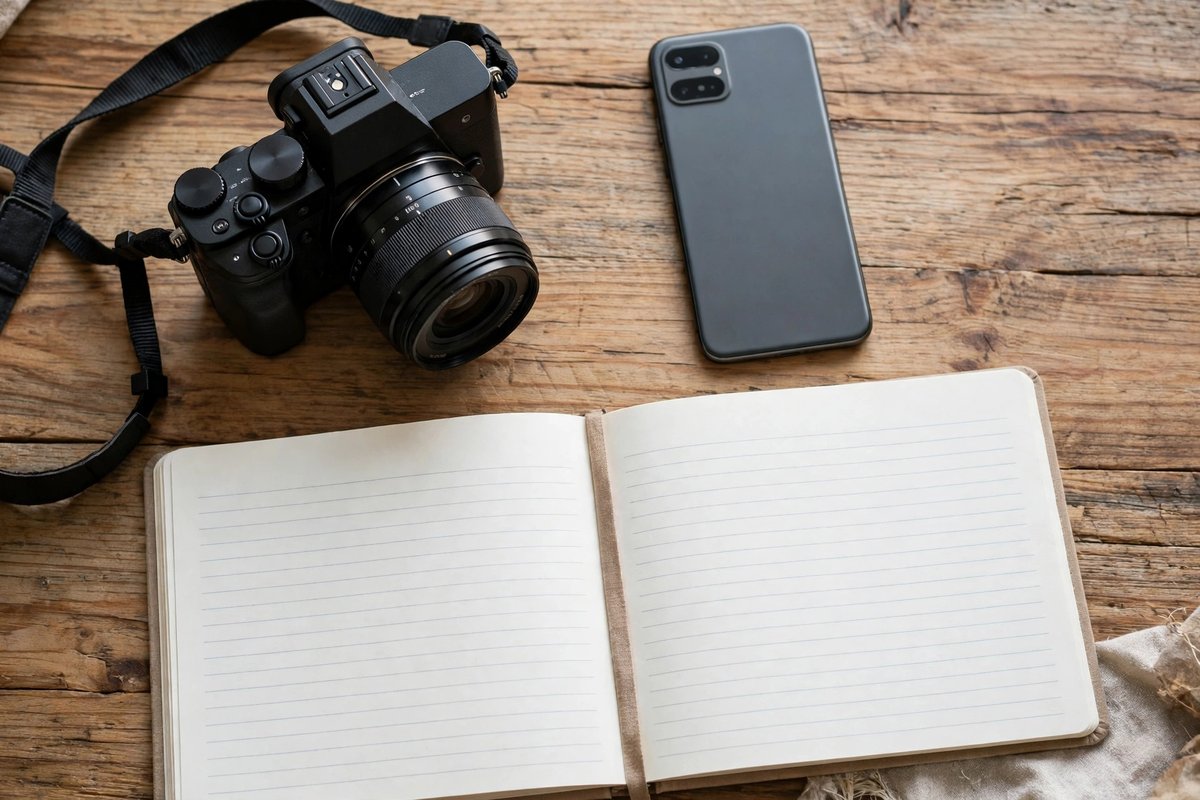
Plan before you shoot: Keep a simple notebook or notes app list of subjects your city and home can provide. Ten planned, useful photos beat a hundred random ones. Look at what you already shoot for fun, then ask a simple question: could a business use this image to say something? If yes, it belongs in your portfolio.
Titles, Keywords and Releases: Getting Found and Staying Legal
When you sell photos online, a great photo with weak keywords is invisible. Search is how buyers find you, so this part earns the money.
Titles: Write a clear, honest sentence, such as “Woman drinking coffee while working on a laptop at home.” Say what is in the photo, in plain words.
Keywords: Add the words a buyer would type: subject, action, place, mood and concept. Aim for accurate terms only. Keyword stuffing with unrelated words can get files rejected and accounts warned.
Model releases: If a person is recognisable in a photo you sell for commercial use, you need their signed permission, called a model release. Every major platform requires it. No release means the photo can only be sold for editorial use, or not at all.
Property and trademarks: Famous buildings, private property, artwork and brand logos are restricted. A photo where a logo or a unique product design is the main subject can be rejected or removed. Shoot generic scenes, or remove logos before uploading.
Only upload your own work: This rule has no exceptions. Uploading photos you found online, photos a friend took without a proper transfer of rights, or images you do not own can close your account and cancel your unpaid balance.
AI images: Rules differ by platform and change often. Getty Images and iStock do not accept AI-generated content in contributor submissions. Adobe Stock accepts generative AI only when it is clearly labelled as such. Never upload an AI image and present it as a real photograph anywhere; that is a fast route to a ban.
A note on two platforms that are gone: Older guides often list EyeEm and Twenty20. EyeEm shut down permanently in January 2026, and Twenty20 was closed by its owner Envato and folded into another service years ago. Do not waste time signing up for either, and be suspicious of any site still promoting them as active options.
Common Scams and Red Flags
Trying to sell photos online also attracts attention from scammers, because they know beginners are hopeful and new. Watch for these warning signs:
- “Pay to join” stock sites. Every legitimate agency in this guide is free to join. A site asking for a sign-up or “activation” fee before you can sell is not a real agency.
- Guaranteed income promises. No platform can promise sales. Anyone selling a course or “system” that guarantees stock photo income is selling the course, not the truth.
- Fake buyer messages. Scammers contact photographers offering a big payment for a photo, then send a fake cheque or ask you to pay a “release fee” or “transfer fee” first. Never pay to receive a payment.
- Requests to move off-platform. A “buyer” who wants you to leave the agency site and deal privately by email is usually setting up a fraud. Keep sales inside the platform.
- NFT and crypto photo schemes. Offers to “mint your photos” for an upfront fee, or pay you in an unknown token, are high-risk and frequently worthless. Legitimate agencies pay in real money through known payment services.
- Copyright traps in reverse. Some fake sites exist only to collect free photos and resell them as their own. Only upload to the official websites and apps of known agencies.
- Apps that demand your bank login. Payouts go through PayPal, Payoneer or Skrill. No agency needs your online banking password, ever.
Frequently Asked Questions
Can I really sell photos online with just a phone?
Yes, you can sell photos online with just a phone. All the platforms above accept phone photos if they are sharp, well lit and large enough. Modern phones are fine for most subjects. Clean the lens, use the highest resolution setting, and avoid digital zoom.
How much money can I make when I start?
Very little at first, and that is normal. Many beginners earn only a few dollars in their early months. Income grows with portfolio size, better subjects and better keywords as you sell photos online. Think of your first hundred photos as building the shop, not filling the till.
Can I sell the same photo on several sites?
Usually yes, you can sell photos online with the same photo on several sites, as long as you did not mark it exclusive anywhere. Non-exclusive uploading to Shutterstock, Adobe Stock and Dreamstime at the same time is a common strategy. Exclusive deals pay more per sale but lock that photo to one platform.
Do I need permission from people in my photos?
For commercial use, yes: any recognisable person needs a signed model release. Photos of crowds where no one is the clear subject are treated differently by each agency, but when in doubt, get the release or do not upload the photo to sell photos online.
Why do agencies reject my photos?
The common reasons are blur, noise, poor lighting, logos or trademarks, missing releases and subjects the agency already has too many of. Rejections are normal, even for professionals. Read the stated reason, fix it on the next batch and keep going. That steady improvement is how you learn to sell photos online.
How and when do I get paid?
Each agency pays once your balance passes its threshold: $25 at Shutterstock and Adobe Stock, $100 at Dreamstime, with Foap paying mission rewards through PayPal. You will also need to complete the agency’s tax form before your first payout when you sell photos online.
Are my photos safe from theft on these sites?
Agencies display watermarked previews and handle licensing and takedowns, which is far safer than posting full-size images on open social media. No system is perfect, but your copyright stays yours, and agencies act on reported misuse. That protection matters when you sell photos online.
Can I sell photos I posted on Instagram?
If they are your own original photos, the copyright is yours, so you can usually submit them. Upload the original full-resolution file, not the compressed version from the app. Check that no client, employer or brand deal already owns or restricts those images.
What about photos of my children or family?
Agencies accept them with signed model releases, and a parent or guardian signs for minors. Many photographers still choose to keep family photos private. It is your call; once a photo is licensed, you cannot control every place it appears when you sell photos online.
Is selling stock photos a real long-term income?
It can become a modest, genuinely passive stream, and it is one of the 15 legit ways to make money from home that needs no start-up cost beyond your phone. It rarely replaces a salary on its own. The contributors who do well treat it as a long project: upload steadily, study what sells and let the library compound.
Conclusion
Selling photos online is real, legal and free to start, but it rewards patience over hype. Choose one or two platforms from this guide, upload your best existing shots with careful titles and keywords, and add new photos every week.
Keep your expectations honest: small royalties, slow growth, and a portfolio that quietly builds value over time. That is how this method actually works, and it is why the people who stick with it are the ones who eventually get paid.
Read the Next Guide: “Freelancing for Beginners: How to Start and Get Your First Client in 2026” — our step-by-step guide to turning a skill into paid client work.